Restate 1.7: End-to-end Flow Control for your Agents and Backends
Restate Team
Today we're releasing Restate 1.7, which marks the biggest release since we introduced distributed Restate last year. The marquee feature of this release is sophisticated Flow Control, powered by Virtual Queues (vqueues). To make that happen, we completely re-built Restate's internal scheduler architecture.
This change gives Restate the ability to steer load across your infrastructure, your agents and applications, in a way both simpler and more sophisticated than message queues. Together with Restate's existing capabilities for durable execution, stateful functions (virtual objects), and reliable RPC/messaging, it forms a durable foundation for your backends and agents that goes much beyond traditional durable execution. All of that, while keeping Restate as a dependency-less single binary, preserving the lightweight experience and flexible deployments Restate is known for.
Let's dive deeper into this.
The magic of declarative flow control
Flow Control controls how fast, or with which priorities, events and invocations are dispatched to your services and agents. For backend- or agent platforms, this means controlling which agents get to execute next when there is limited capacity, what tool may access a constrained database next, or how many inference calls a team is at most allowed to do in a certain time frame.
Virtual Queues allow you to define and control this on a very fine-grained basis, like a team, user, or an agent. In the Restate APIs, you assign an invocation to a scope (representing, e.g., team or user) and that determines the virtual queue. Invocations share limits with all other invocations assigned to the same scope (queue). Like Virtual Objects, the virtual nature of vqueues means you can have millions or more of them.
Try it out: requests keep arriving into Restate, where each scope has its own queue. Hollow dots wait in the queue; filled dots hold a concurrency slot in the custom LLM gateway. Toggle the rules off to see what happens when unprotected traffic overloads the gateway.
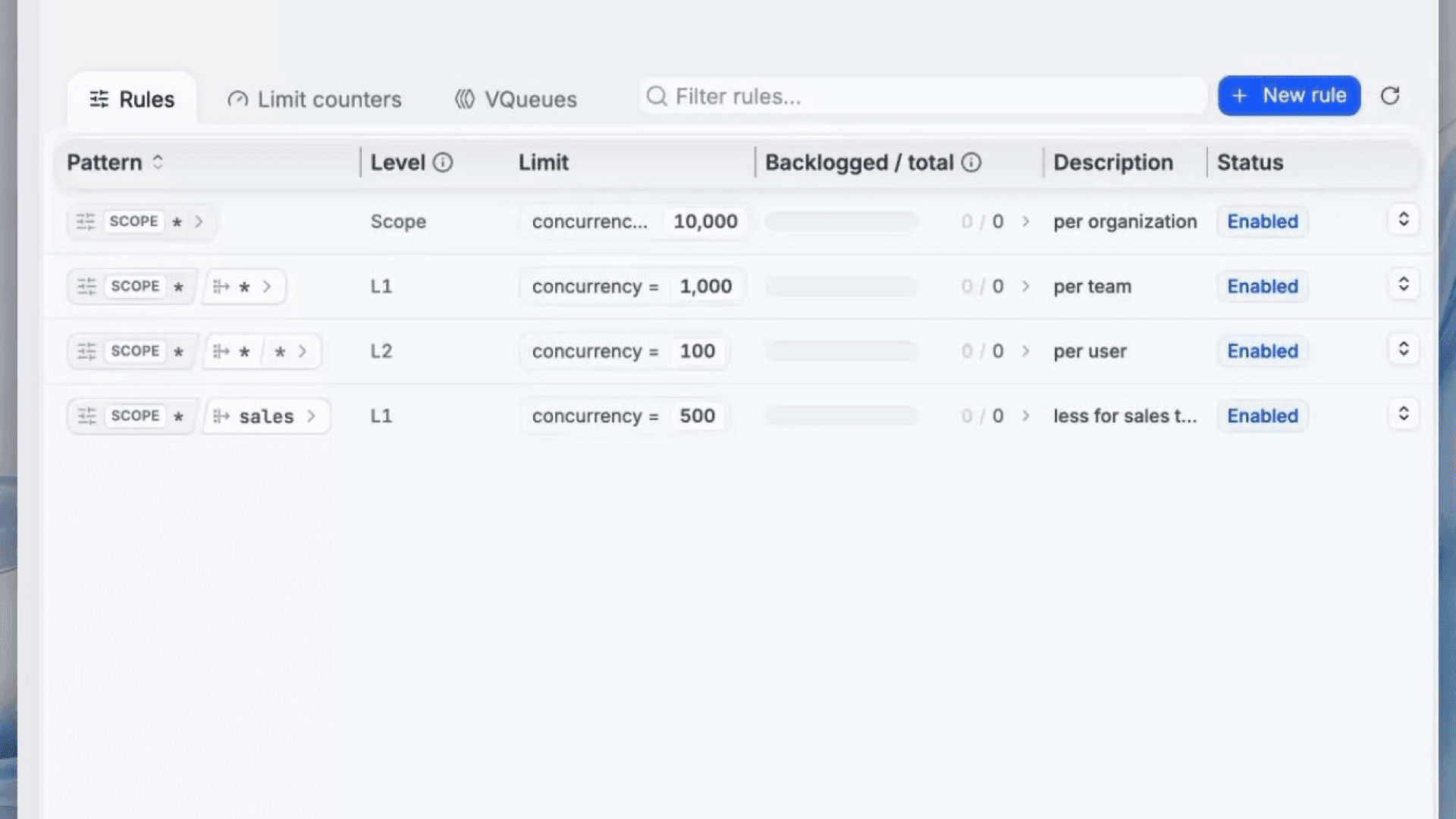
Limits are defined through flexible rules. What is unique in Restate's vqueues is that you can structure limits hierarchically. For example, you can define that a scope (organization) gets max 1000 concurrent invocations (e.g. agent runs), each team for that org gets max 100 and each user in the team max 10. All limits need to be met for a workflow to run. A rule can be set to apply for any tenant/team/user, or override the limits of a specific team or tenant.
The best part: The rules defining the limits can be dynamically updated via the admin API. So if you temporarily need to give one of your users or teams more capacity, it is one http call away.
restate rules set "*"        --concurrency 1000 # each organization
restate rules set "sales"    --concurrency 500  # sales gets less
restate rules set "*/*"      --concurrency 100  # each team in any org
restate rules set "*/admins" --unlimited        # admin teams: no limit (overrules "*/*")
restate rules set "*/*/*"    --concurrency 10   # each individual user
To apply these limits, you tag an invocation with a scope, and optionally additional hierarchical limits in a limit key. The scope selects the top-level virtual queue; the limit key adds the nested team and user levels:
# "acme" is the scope (org); the limit key adds the team and user levels.
curl "localhost:8080/restate/scope/acme/call/Inference/run?limit-key=growth/alice" \
--json '{"prompt": "..."}'

# The limit key can also be passed as a header instead of a query parameter.
curl localhost:8080/restate/scope/acme/call/Inference/run \
-H 'x-restate-limit-key: growth/alice' \
--json '{"prompt": "..."}'
From another Restate service, you set the same scope and limit key directly on the SDK call: ctx.scope(...) picks the top-level virtual queue and rpc.opts({ limitKey }) adds the nested levels.
// Route the call into the "acme" scope (org) and attach a hierarchical limit key
ctx.scope("acme").serviceClient(Inference)
.run(
  { prompt: "..." },
  opts({ limitKey: "growth/alice" })
);
End-to-end scheduling
We believe that this type of flow control on the events/invocations that trigger work (like agent turns) is a great way to steer and control load in the infrastructure. Compared to, for example, scheduling policies on the container runtime, the durable execution and queuing system has a richer view, because it naturally sees all the ongoing executions, event backlogs, plus all the conditions that determine whether a durable function (like an agent) can make progress or whether it is waiting on another durable function (e.g., subagent) or an external event (e.g., approval):
- Is the team/user/agent within quota? (Restate: virtual queues' rules fulfilled)
- Is the agent currently processing a message and the new message should be kept in queue? (in Restate: Virtual Object locked?)
- Does the container deployment have capacity to execute another agent? (Restate: Concurrency limit on deployment scale-out met?)
- Should another Agent message take priority, e.g., because it resumes an ongoing but suspended agent? (Restate: prioritize resumption of suspended execution over new executions)
- In the future: Should a premium customer take priority? (positive/negative weights on invocation)
Try it out: events land in each org/user virtual queue and the scheduler dispatches one to a virtual object only when all conditions hold at once — the target object is unlocked, the deployment has a free permit, and both the org and user limits are met. Hover a waiting event to see which limit is holding it back. Pause and hover over the events to see what they are blocked on.
Imagine these constraints were all handled by different queues or services: You'd be stitching together many queues and topics. The state of the backlog which informs the decisions what to run next would be spread across all the queues, and any individual queue consumer could only make local decisions. The vqueues scheduler lets Restate make decisions that take all the above parameters and constraints holistically into account.
Earlier versions of Restate had a queue between local decisions in the mailbox (Is the Virtual Object unlocked?) and the invoker (Does the deployment and HTTP client have capacity?). One of the results of the new architecture is removing that spillable invoker queue.
Observing Flow Control
The new architecture not only gives us a whole new way of controlling the flow of invocations; it also gives us a completely new level of insight into what is being processed, how long invocations are waiting, and what conditions they are waiting on.
Below is a screenshot of an early version of the enhanced UI that exposes that information. It shows the vqueues that invocations are tied to, the limits, what's the current blocking condition, etc. We believe that this will vastly improve the experience in a very important case: when progress appears slow and invocations are waiting, why are they waiting?
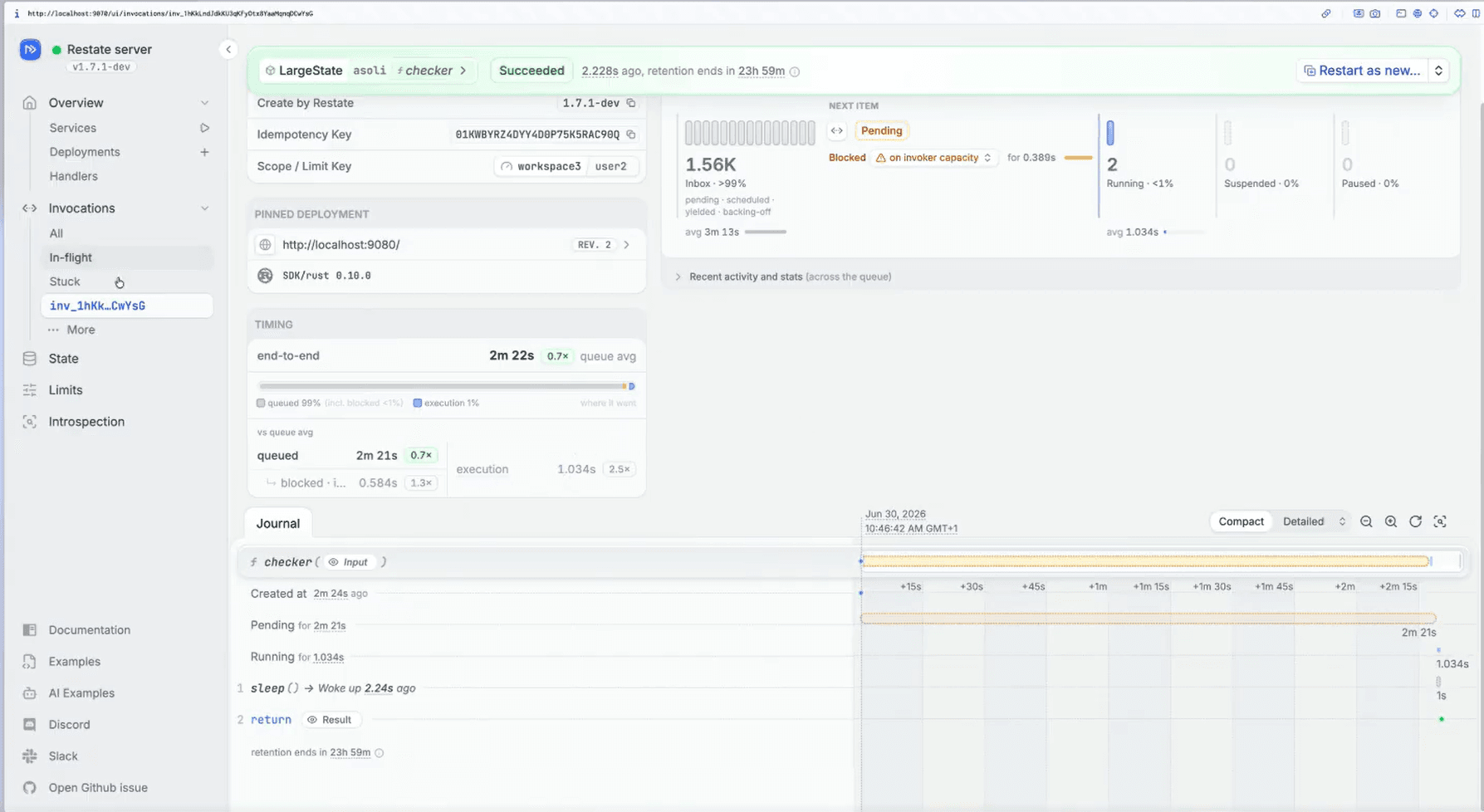
A prototype of Restate's UI for vqueues
What is the state of vqueues today?
Vqueues and the new scheduler are an opt-in feature in Restate 1.7; check the docs on how to enable it. The new scheduler is production-ready, it already powers several high-volume production deployments of Restate.
But as we get more feedback from our users, we may still make changes and tweaks, for example around the exact way flow-control rules are defined; expect this feature to be actively evolving. The UI for vqueues is also evolving, because the new architecture unlocks a whole new level of detail that wasn't possible before.
Vqueues expose concurrency limits today. We plan on gradually adding more functionality in the coming months, for example rate-limits, capacity limits (load shedding), or event priorities.
Most importantly: As of today you can only activate vqueues on a fresh Restate cluster, because they internally use a different storage layout. This is a restriction we will lift in the coming weeks, by adding migration code into the runtime that rewrites in-flight executions into the VQueue scheduler's format on startup. We expect this to land in one of the next patch releases.
A UI for high-scale applications
Many of our users started out by adopting Restate for a few key services or workflows. Once they experienced how powerful it is, they gradually expanded their usage across services, use cases, and larger workloads. We now regularly see customers with dozens of registered services processing many thousands of invocations per second.
At that size, the way you use the UI also changes: you want to understand at a glance what's going on and what needs attention. To accommodate this, we've redesigned the UI landing page to provide a clean overview of the state your invocations are in. The view also gives you shortcuts that take you straight to specific stuck or in-flight invocation.
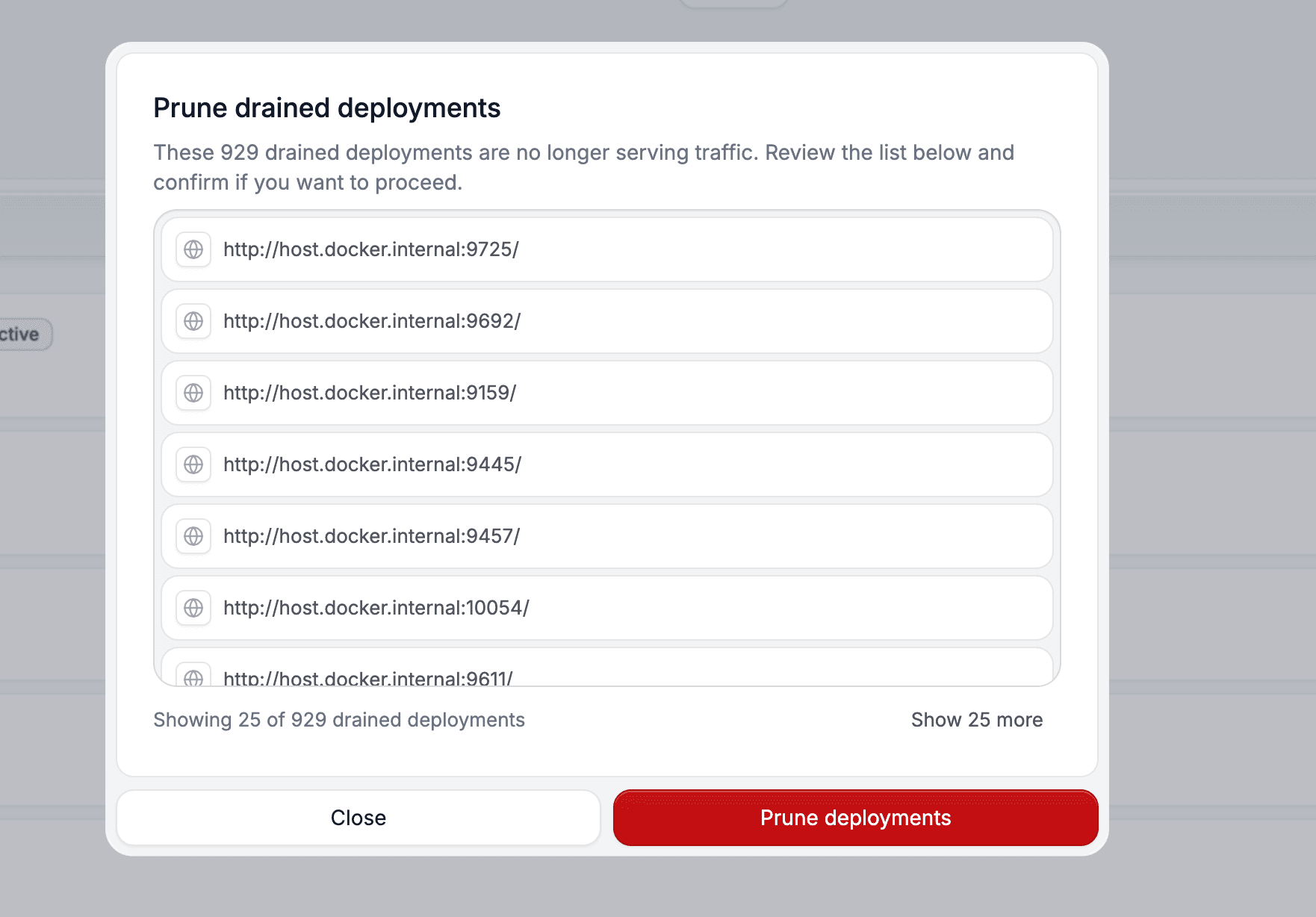
We've also improved the overview and management of services and deployments. For example, the UI now provides shortcuts to prune drained deployments and help keep your cluster clean.
Improved tracing for long-running agentic workloads
AI agents and platforms are quickly becoming the most popular use case for Restate. These workloads are long-running and require purpose-built observability tools like Langfuse, Braintrust, and Arize to understand what agents are doing.
Together with a major AI company running large agentic systems on Restate in production, we revamped tracing with two goals: insight into ongoing executions — when work takes days, you want live visibility, not a trace that only appears once it completes — and extensibility, making it easy to attach context like handoffs, model names, and tool output.
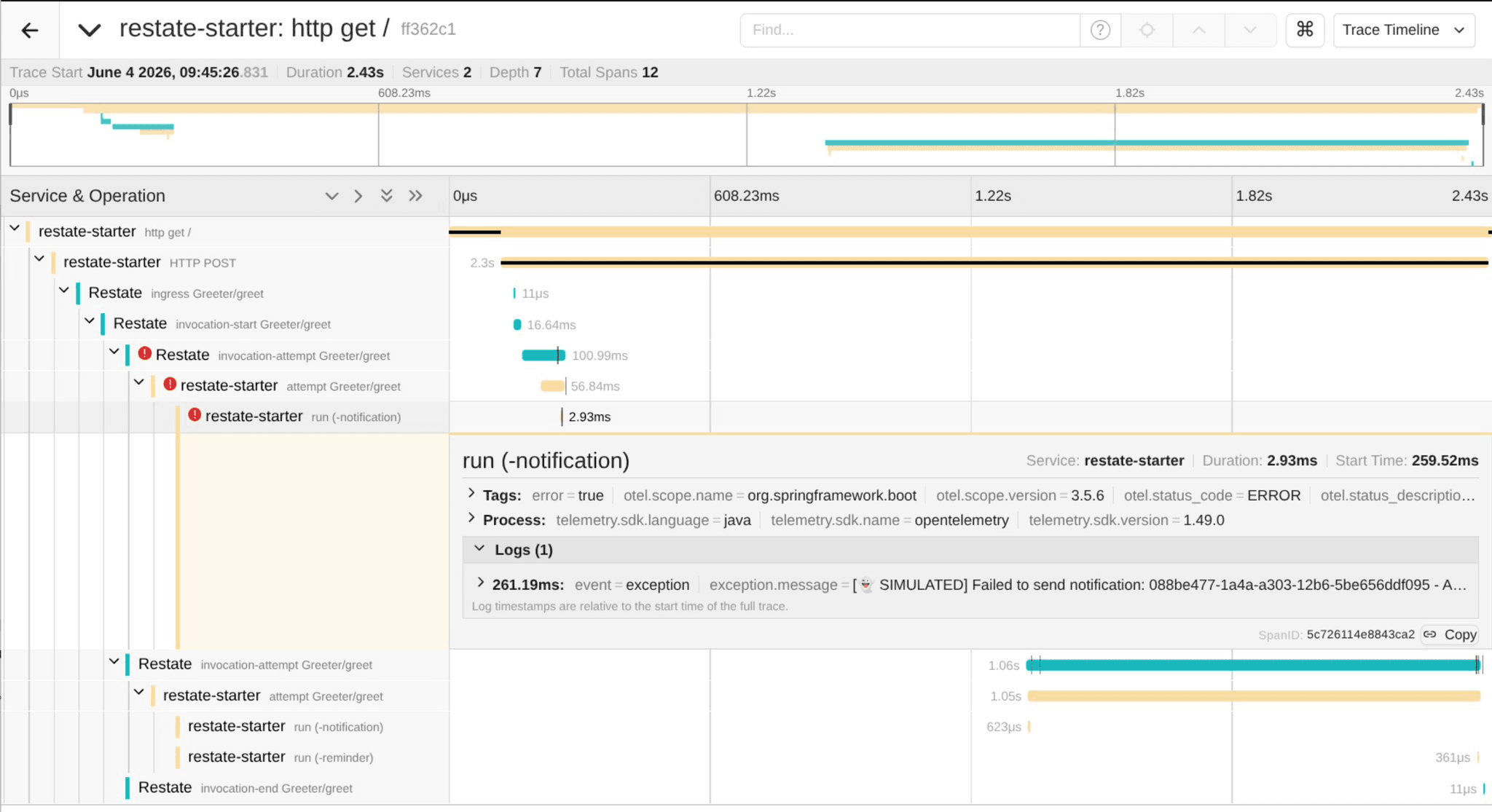
Restate 1.7 reshapes service tracing around real-time feedback:
- Instead of one span per invocation, you get a start span, one span per attempt (failed retryable attempts clearly marked), and an end span — each published as soon as it's ready, so you see running invocations live in your tracing infrastructure.
- Steps are recorded as events on the attempt span rather than separate spans, so they no longer clash with spans you create in the SDK.
- Traces give you the physical view of an invocation; the Restate UI stays the logical view, and you can jump between them by invocation ID.
On the SDK side, enriching traces with your own context is now much easier. In TypeScript, the new @restatedev/restate-sdk-opentelemetry package wires this up via a hook on your service:
import { openTelemetryHook } from "@restatedev/restate-sdk-opentelemetry";
import { trace } from "@opentelemetry/api";

const agent = restate.service({
name: "Agent",
options: {
  hooks: [openTelemetryHook({ tracer: trace.getTracer("agent") })],
},
handlers: {
  run: async (ctx: Context, task: string) => {
    // Add your own events and attributes to the live attempt span
    trace.getActiveSpan()?.addEvent("tool.call", { task });

    // ctx.run automatically gets its own child span
    return ctx.run("call-model", () => callModel(task));
  },
},
});
For the JVM, there are ready-made interceptors for OpenTelemetry and Micrometer, and for Spring Boot it works out of the box.
Note: ingress spans are unchanged, but spans are now exported under the resource name Restate, so any dashboards or alerts keyed on the old invocation span name or on per-command spans will need updating.
Other notable changes
-
Dynamic Kafka cluster management: Kafka subscriptions can now be made fully through the Admin API, so you can create, edit, and delete clusters and subscriptions without needing to touch the config or restart the cluster. Existing static configuration continues to work.
-
Native Google Cloud Run authentication: Restate 1.7 adds support for native Google OIDC token authentication. For Restate agents or services running on Google Cloud Run, this replaces the previously-required long-lived bearer tokens. If Restate Server itself runs on Google Cloud (self-hosted or Bring-your-own-Cloud), it can automatically obtain the required tokens from the ambient credentials.
-
Various reliability and stability improvements: Our team spent a lot of time hardening the system to make it even more resilient against various failure scenarios. Examples are new failure detectors with adaptive timeouts that better handle transient network issues and stalls, and improved memory pooling to keep the memory footprint stable under load.
Build with Restate
The fastest way to get started is with Restate Cloud. Try it for free and have a managed instance running in minutes. Self-hosting Restate is also first-class supported; follow the quickstart guide for more details.
Restate is open, free, and available at GitHub. Star the project if you like what we're doing and tell your friends about it!
Questions about the upgrade path or feedback on these features? Join us on Discord or Slack.
Release notes
This release includes some breaking changes. See the full release notes for details and migration guidance.
Keep reading
Restate 1.8: Mind the Queue
Restate 1.8 enables the virtual-queue scheduler by default and shows you why invocations are waiting.
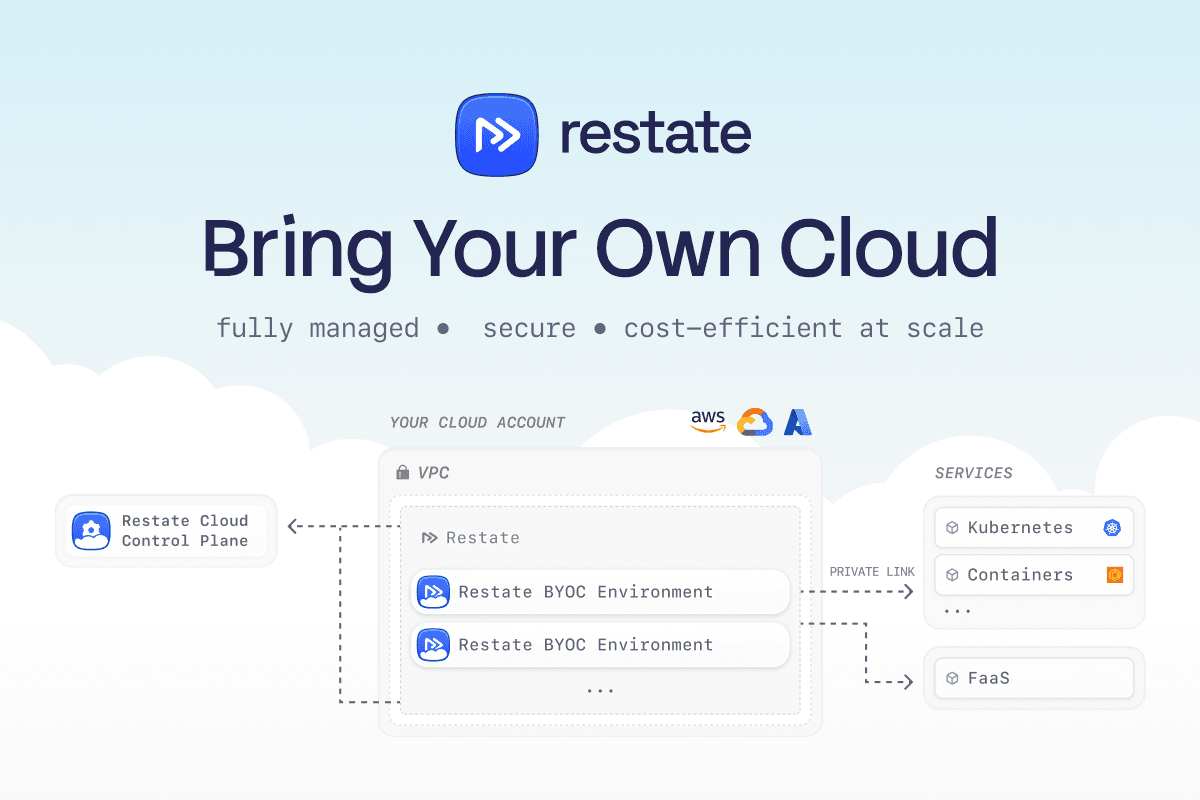
Announcing Restate BYOC
Announcing Restate BYOC: fully managed Restate deployed into your own cloud account and VPC. Private, secure, and up to 10x cheaper at high volumes.

Restate Cloud: SOC 2, Enterprise SSO, and HIPAA
Restate Cloud adds SOC 2 compliance, enterprise SSO, RBAC, client-side encryption, and HIPAA support for security and compliance.